 |
MARSIP HOERWACHE Information desk - This is the ultimative Maritime Radio Simulation Program ever -
" All former radio officers and operators of commercial stations are invited to participate in this Morse-Code Telegraphy Program " No sign on or installation of software is necessary, your pc must only be HTML5 ready !Just call Hoerwache link and start watch keeping. Read all or select a topic |
 |
Control • FAQ
Quick Guide • HWreadmeE.pdf
or
Audio - Morse Chat Mode • Wiring • TX-Tune • Training •
|
Topic Welcome
Hoerwache is a virtual monument for nearly 100 years of Maritime Radio. From the early 1900's on, when wireless communication was invented for use by marines to exange message over sea on a world wide basis. Operators where trained to use Morse code keying on many a wireless frequencies. Hoerwache does simulate it perfect. After some practice one will understand the mechanism of it and find out it is very simple, logical and easy to handle. No registration or installation of software is necessary, your pc browser must only be HTML5 ready ! Just use a modern pc with sound card and browser like chrome, edge, firefox. Internet Explorer IE will not fit to the program! Check your browser for HTML5 ⇒ conformity It is a good practice to clean the browser cache! If something does not work in HW leave the program and delete the cache and restart HW. Browsers first look to its cache instead of loading pages from the domain. This behaviour saves transfer time via Internet!
Thanks to radio officer Dieter Lüpker of Hamburg - continous development was necessary to bring
Hoerwache up to simulate maritime radio service so perfect!
|
|
Topic Start Hoerwache
Start your favourite browser - preferred chrome - edge - firefox , IE does not work ! Call hoerwache at ⇒ https://www.hoerwache.de  1 Confirm to use https - 2 Drop down menue - 3 select Ship Station - 4 Language - 5 documentation, scroll down
Select one from drop down menue - Use 'Work as Ship station' for first steps in Hoerwache
1 Confirm to use https - 2 Drop down menue - 3 select Ship Station - 4 Language - 5 documentation, scroll down
Select one from drop down menue - Use 'Work as Ship station' for first steps in Hoerwache
top |
|
Topic Ship Data
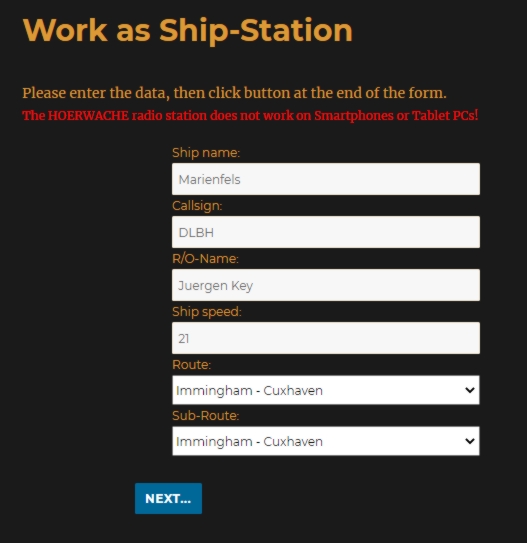
Enter your ship data - self explanatory - any name will fit Call sign must be unique during a session, if used by some one else, use other call. Call is important, but any Call fit - ABCD is ok - its used for HW System to run it! Your name for real or what ever you like - Micky Mouse will fit! Select a route you want to follow. Some routes have connecting point Shown is a route from Immingham UK to Cuxhaven Button NEXT skips to the verification of your entries and -update- or -to go- to the Wireless Room at end. |
|
| top |
|
Topic Wireless Shack
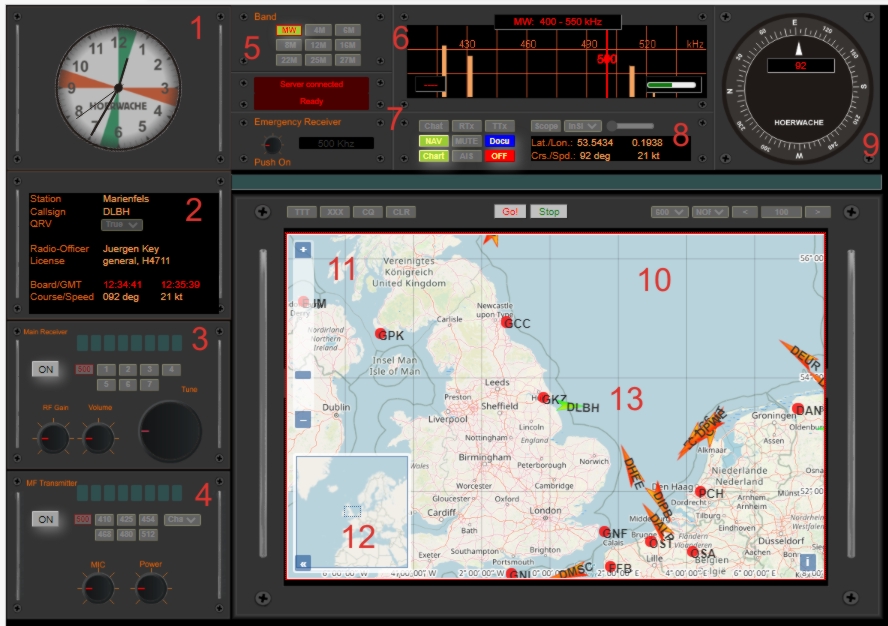
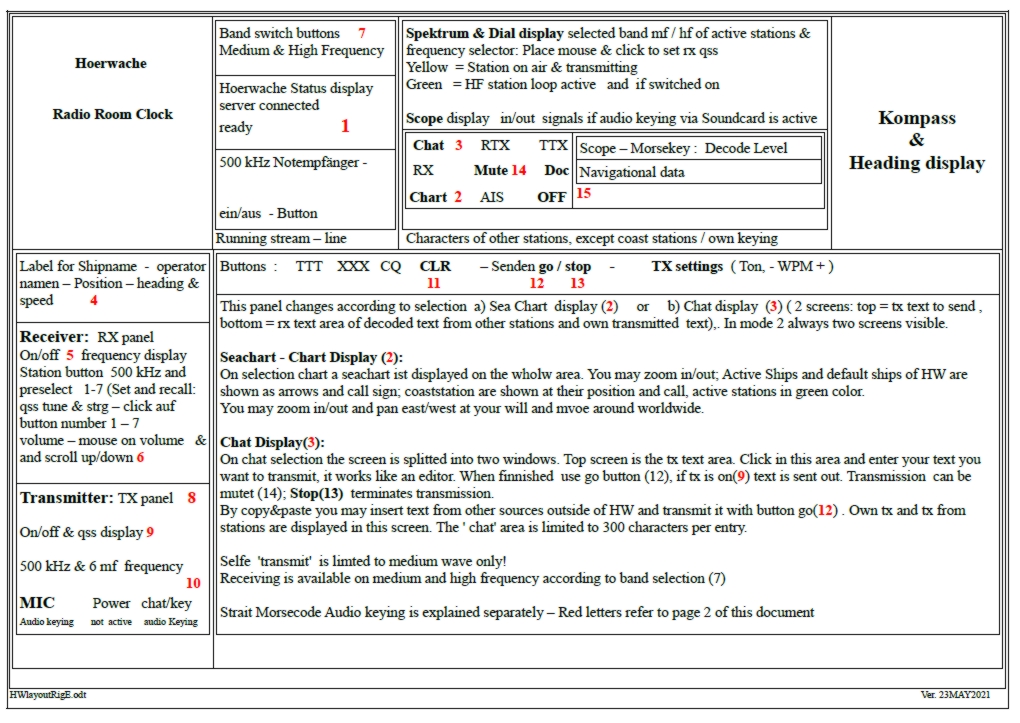
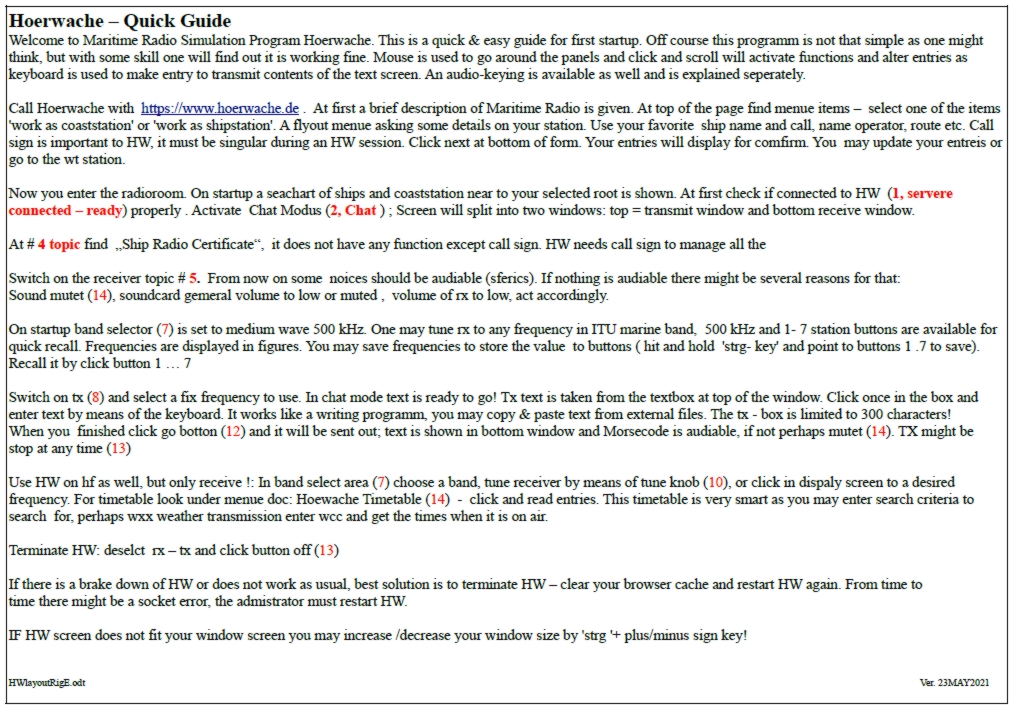
On entry HW displays this layout - All equipment is switched off, usage is explained further down
         1 Radio Clock  2 Manifest   3 Receiver   4 Transmitter
         5 Band Select  6 Dial panel 7 Button Box 8 Audio Keying  9 Compass
        10 Seachart    11 Zoom +/-  12 Chart pan 13 Marker for ship/coast; DLBH active
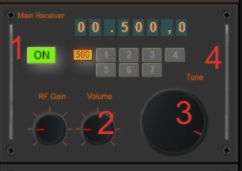
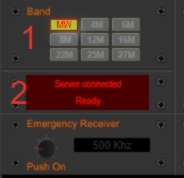
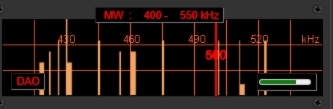
On entry rx is silet because nothing is switched ON! When you check
the receiver ON - button it turns rx on, button will be lighted, some noise
will be audible. By default rx is turned to 500 kHz.top |
|
Topic Layout & Quick Guide Print version open
|
|
Topic Usage
Use the mouse to move around the controls and click on buttons and knobs to select an item. Mouse scroll is used as well for altertering values up/down. Sometimes click and hold to move sliders. top |
| Topic Receiver
| ||||||||||
| top |
|
Topic Transmitter
|
|
Topic Chat
|
|
Topic More Control |
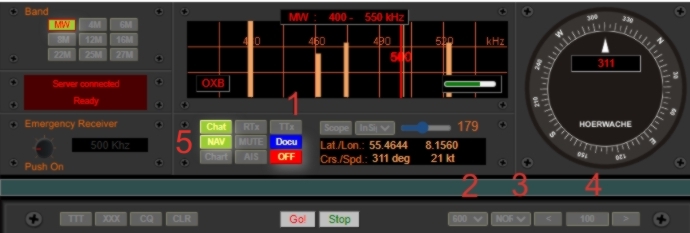 |
4 Increase/decrease (qrq/qrs) speed of transmissions in chat mode
5 Alter Navigation values
| Topic HW documentation | |
HW contains a detailed description of how to handle the radio station at all.
|  pic docu pic docu |

top
|
Topic FAQ |
| FAQ under construction |
|
Topic Audio - Morsechat Mode
Audio - key Mode enables you to transmit text straight out of your Morsekeyer. After some adjustments made to HW it will decode your keying and sent it on the selected mf frequency. It works perfect, it's great, it is as real as it could be, it's like as in the old days of Maritime Radio !! Do some adjustments in HW - train the decoder and up it goes ! Follow the 1 : 3 schematic of Morsecode, make correct letter- and word spacing. HW take the times the key is pushed and starts decoding and display your keying in rx panel. top |
|
Topic Wiring
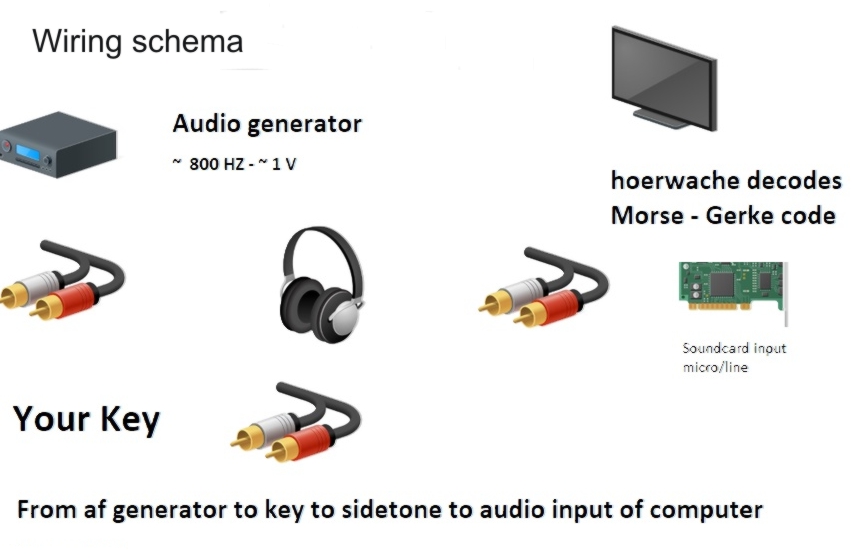
General wiring : From an audio source to key to audio input of your pc soundcard
|
 |
|
Topic TX Tune
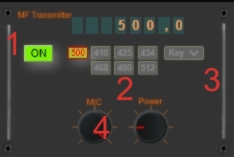
To use the telegraphy mode of HW you have to do this:
|  |
Do further settings by choice
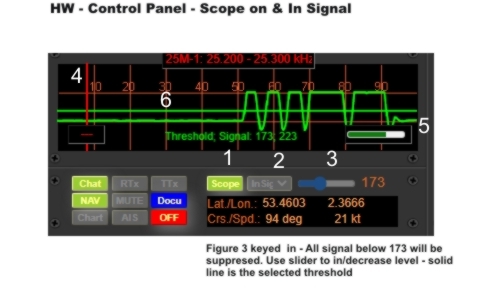
or use scope to check your signals |
 |
|
Topic Train HW
|
© www.doese-apprt.de Version 5.2- Oktober 2021: ⇒ Impressum - Pictures ©: hoerwache - Wikipedia - author